





CoreMelt_MochaOnly
SliceX: powered by mocha: Powerful Shape Mask Tracking for FCPX
SliceX: powered by mocha: Powerful Shape Mask Tracking for FCPX
Couldn't load pickup availability

SliceX 4 is Apple Silicon native with a full screen user interface. Free update for current customers.
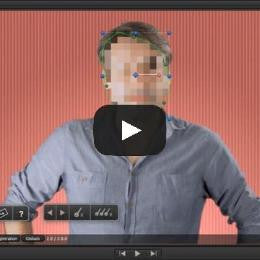
Slice X is instant shape motion tracking directly on the timeline in Final Cut Pro X. Just draw a shape on your video footage and press track, we use the power of mocha's Academy Award winning planar tracking engine to follow the motion in your footage. Use the tracked mask to color correct, blur, pixelate, sharpen etc the precise parts of the image you wish, with total control.

"An absolutely essential tool for Final Cut Pro X" ProVideoCoaltion
SliceX lets you create instant Shape Masks to cut out layers or isolate effects directly in Final Cut Pro X without having to go into Motion or create the masks with an external program. SliceX includes ten effects motion templates for common tasks and you can also use the Shape Masks with built in effects, the built in color corrector or with third party plugins. SliceX powered by mocha takes the pain out of following complex motion, just draw a shape and hit track. After tracking the shape mask you can then do final adjustments with manual keyframes as needed. FCP X keyframing can be painful and tedious, with SliceX powered by mocha we do all the hard work for you. Online documentation, tutorials and a hotkey list are available.

" "SliceX: It's Essential for Editors... it should be an essential part of your tools" " Glen Fiacarra, Director of Focus
Try it yourself, free 15 day trial available
Adding A Tilt Shift Effect
Hide A Sign Or Logo
With Object Remover
Creating A Glowing Eyes Effect
Using Glow Shape Mask
How To Hide A License Plate
Using Blur Shape Mask

You might also like:
-
Detonators: FCPX Tracking, VFX, Paint, Stabilisation and more
Regular price $299.00 USDRegular priceUnit price per -
ShotAnvil: Tracked Paint, Masks & Graphics Inserts with One-Click AI Person Keying
Regular price $199.00 USDRegular priceUnit price per -
PaintX: powered by mocha: Tracked Paint for Final Cut Pro
Regular price $99.00 USDRegular priceUnit price per -
Track X: powered by mocha: FCP X Motion Tracking
Regular price $99.00 USDRegular priceUnit price per -
SliceX: powered by mocha: Powerful Shape Mask Tracking for FCPX
Regular price $69.00 USDRegular priceUnit price per -
DriveX: powered by mocha: Tracked 3D Text and Particles in Final Cut Pro X
Regular price $99.00 USDRegular priceUnit price per


